

The Docs vault
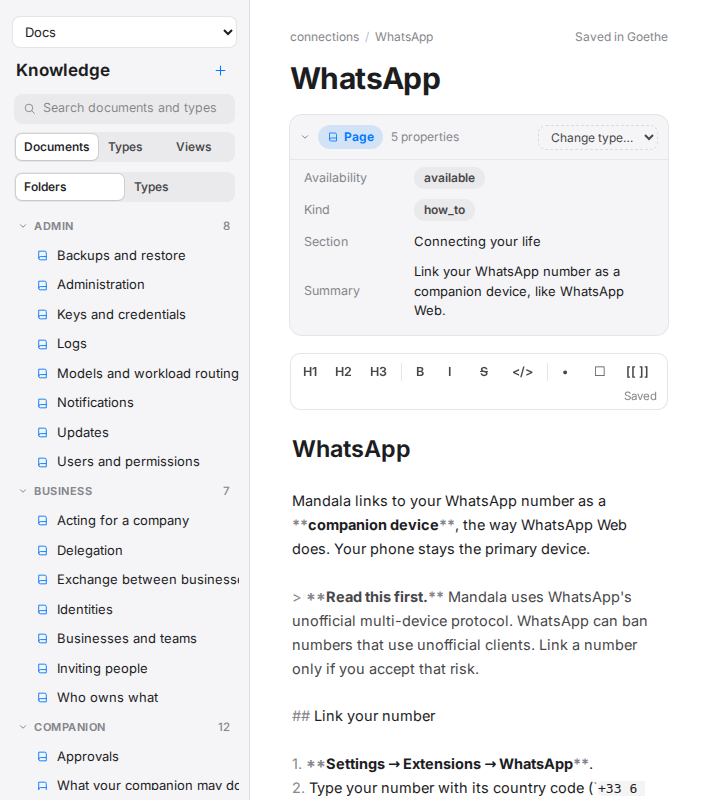
This manual is a Goethe vault named Docs. It is an ordinary vault: open it from the vault picker in Knowledge, search it, link to its pages from your own documents ([[connections/whatsapp]] from inside it; from another vault, ask your accomplice for the link), and use its views and types.
Where it comes from
Its pages ship inside the mandala program. Every node creates the vault on its first start, in <data>/vaults/docs, and refreshes it at each start from the release it runs. A new release brings new and updated pages with it.
Your edits
You can edit any page or add your own. At each start:
| You… | Mandala… |
|---|---|
| left a page as shipped | replaces it with the new release's version |
| edited a page | keeps your version and does not overwrite it (the log lists it) |
| deleted a page | leaves it deleted |
| added a page | leaves it alone |
A page the new release removes is deleted only if you never edited it.
Two consequences: an edited page no longer receives updates (put your notes in a separate page that links to it, and the shipped page keeps updating), and the vault is per node. Docs is not synced between your devices, because each node writes it from its own release. Keep notes you want everywhere in your own vault.
Your accomplice uses it
Your accomplice has the Docs vault's tools (goethe.docs.search, goethe.docs.document.open and the rest) in every conversation. When you ask how Mandala works or how to do something, it searches here, answers from the page and links it.
Page fields
Each page is a page document with a section, a kind (tutorial, how-to, reference or explanation), an availability (available, partial or coming soon) and a one-line summary. The view Coming soon lists the pages about features still being built.