

The Workbench
The Workbench is where contracts are written and installed without a repository or a build. Open Data → Workbench: write a contract.
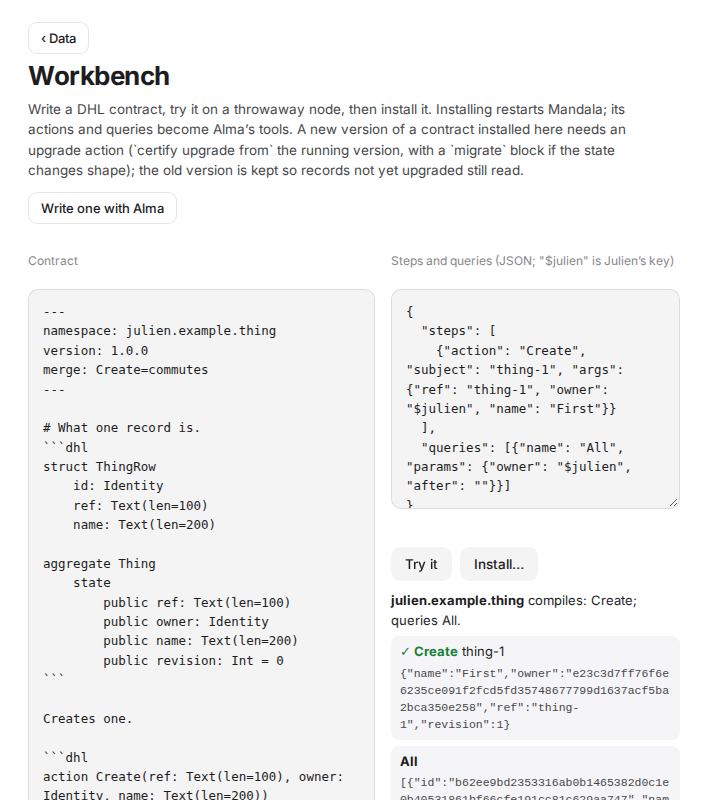 dhl │ │ ✓ Lend drill {"status":"out",…} │
│ aggregate Loan … │ │ ✗ Return drill — refused: … │
└───────────────────────────────────┘ └───────────────────────────────────────┘
dhl │ │ ✓ Lend drill {"status":"out",…} │
│ aggregate Loan … │ │ ✗ Return drill — refused: … │
└───────────────────────────────────┘ └───────────────────────────────────────┘
## Try it

1. Write or paste the contract on the left. A template is there to start from.
2. On the right, list **steps** (actions to apply, in order) and **queries** (to run after):

```json
{
  "steps": [
    {"action": "Lend", "subject": "drill", "args": {"ref": "drill", "owner": "$julien", "item": "Cordless drill", "borrower": "Ana"}},
    {"action": "Return", "subject": "drill", "args": {"owner": "$julien"}}
  ],
  "queries": [{"name": "Out", "params": {"owner": "$julien", "after": ""}}]
}
subjectis the record's id: the same subject in two steps is the same record."$handle"stands for that identity's key."$julien"is you:julienis the internal handle of the person who set up the home (unlessMANDALA_PRINCIPALnamed another)."actor"in a step chooses who signs (default: the personjulienof the trial node).
- Press Try it. Mandala compiles the contract and, if it compiles, runs every step on a throwaway node in a separate process: nothing touches your real records. Each step shows ✓ with the record's new state, or ✗ with DHL's reason. Queries show their rows.
Iterate until DHL accepts what it should and refuses what it should.
Install
Install… then Install and restart. The contract is saved in <data>/contracts/<namespace>.dhl, Mandala restarts to load it (all pending work is durable), and then:
- its records appear in Data;
- its actions and queries become your accomplice's tools (
dhl.<namespace>.*), loaded on demand.
A namespace that already runs can only be replaced by a version that upgrades from it (Upgrading a contract); the old version is archived so records not yet upgraded still read. Contracts built into Mandala cannot be replaced from here. Namespaces starting mandala. are reserved.
With your accomplice
Write one with Alma asks your accomplice to draft a contract with you: it asks what the record should hold, drafts it, tries it with dhl.workbench.check until it accepts and refuses what it should, and shows you the source. Trying is free; installing (dhl.workbench.install) needs your approval.
Coming soon — installing without a restart, the UI file written with the contract, and your accomplice proposing rule changes from what it measures.